
Manage SSO #
The following topic covers different tasks related to managing your SSO implementation.
Disable direct logins #
You can disable or enable a user’s ability to log in directly to Galaxy with their username and password. Disabling direct logins ensures that users can only log in to Galaxy via SSO.
After you have implemented and thoroughly tested your SSO integration with Galaxy, you can grant or revoke the Allow username/password login account-level privilege for any role. Revoking the Allow username/password login privilege from a role prevents users who can assume that role from bypassing SSO and logging in to Galaxy directly with a username and password. Conversely, granting the privilege allows users who are able to assume that role to log in directly.
If a user is able to assume any role that has the Allow username/password login privilege, they are able to log in to Galaxy directly with a username and password, regardless of their default role.
This privilege is only visible on Galaxy accounts with SSO enabled or previously
enabled. By default it is granted to the public and accountadmin roles.
Because most users are required to authenticate through SSO, Starburst
recommends revoking this privilege for widely-used roles such as public and
strongly recommends retaining this privilege for the accountadmin role. If you
do not retain this privilege for the accountadmin role, consider granting this
privilege to specific roles that manage SSO or security systems. In the event
that a problem occurs with your SSO configuration, admins should retain the
ability to bypass SSO and log in to Galaxy directly to debug.
For more information on granting and revoking privileges, see Roles and privileges pane.
Delete an SSO provider #
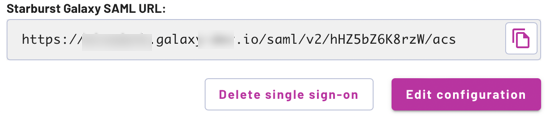
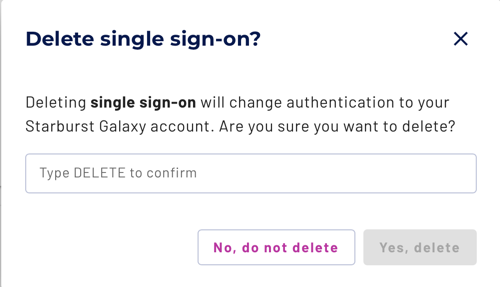
If the current Starburst Galaxy account already has an SSO identity provider
configured and you want to reinstall or replace it, click Delete single
sign-on and type DELETE in the confirmation dialog.
Requirements and consequences #
Deleting a configured SSO should be a rare event, unless you are experimenting with SSO configurations on a test Galaxy account.
Note the requirements for deleting an SSO configuration:
-
At least one non-SSO login account and password must be working before you delete an SSO configuration.
-
The user deleting the SSO configuration must be able to log in to Galaxy with a non-SSO account and password, and must be logged in with that account when deleting the SSO.
-
The user deleting the SSO must have
accountadminprivileges.
In addition to removing the SSO configuration itself, SSO deletion also performs these actions:
-
All groups, as well as role-to-group and user-to-group assignments, are deleted.
-
If you unassign a user from Galaxy in the IdP, that user is soft-deleted in Galaxy. This means that the user is no longer visible or usable but remains in the database, along with their role mappings. If you delete the SSO configuration after a user is unassigned, then the user entries are hard-deleted along with their user-to-role mappings.
-
If you delete the SSO configuration without unassigning users, those users remain in Galaxy. They will no longer be associated with the IdP and they will receive e-mails to set their passwords.
Is the information on this page helpful?
Yes
No